

I wanted to understand how muse connector actually worked in practice so i decided to add one for my existing website roomreimagined.com.
Could it take a room photo, explain the price, collect payment safely, generate the redesign, and return the finished image without breaking the conversation? If yes, how smooth is the whole process? Thats what i set to find out.
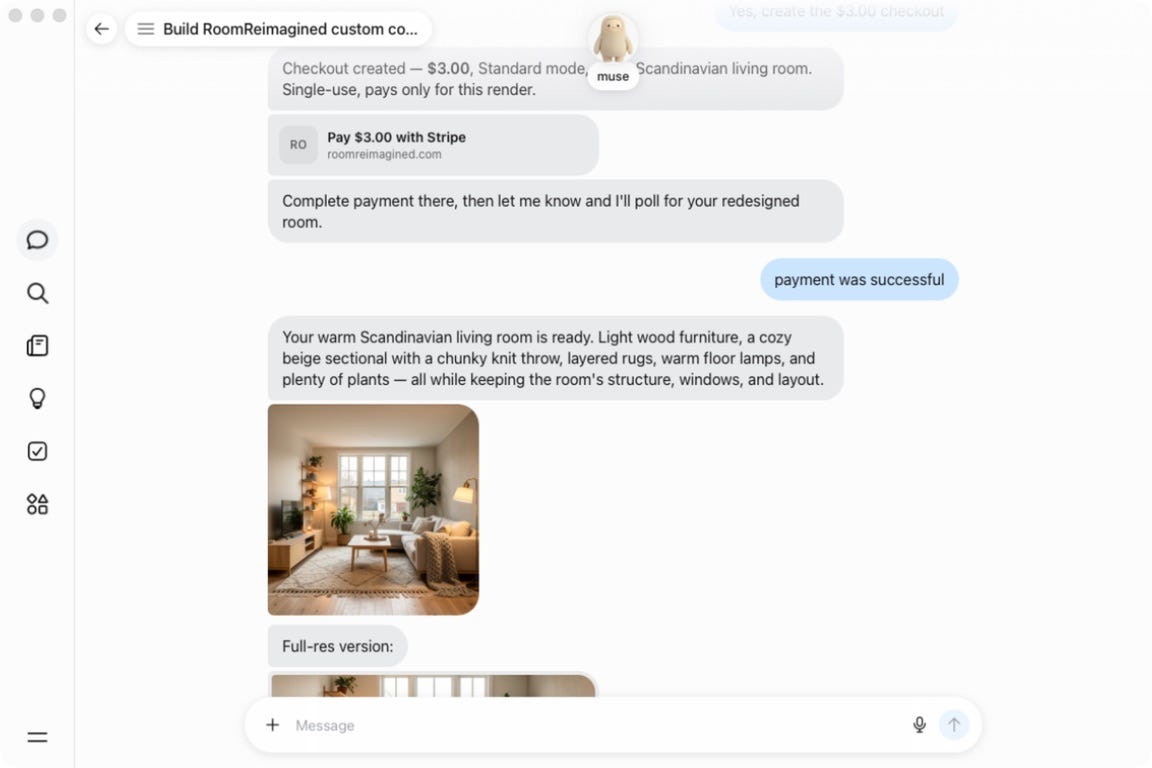
The result
A user can share a room photo, choose a style, and select one of two render modes:
Standard — $3 for a fast, high-quality redesign
Premium — $5 for the best detail and prompt accuracy
Muse shows the exact total and asks for confirmation before it creates a single-use Stripe Checkout. Room Reimagined does not start generation until Stripe verifies that payment succeeded.
The flow of control
The connector is an asynchronous, payment-gated workflow. Muse coordinates the conversation, but Room Reimagined’s backend controls pricing, payment verification, render submission, and final delivery.
1. Connector discovery
Muse starts with the public connector guide at roomreimagined.com/connectors/muse/connector.md. That guide points to an OpenAPI document describing three operations: connector status, render creation, and render status.
GET /api/musedescribes the connector and available render modes.POST /api/muse/redesignscreates a payment-gated render intent.GET /api/muse/redesigns/{requestId}verifies payment, advances the job, and reports its current state.
The Markdown guide supplies behavioral rules that OpenAPI alone cannot express: show the exact price, ask before creating Checkout, never treat a chat message as proof of payment, and avoid duplicate paid requests.
2. Pricing and confirmation
Muse presents the server-defined options—Standard at $3 or Premium at $5—and asks the user to approve the exact total. The client never calculates or overrides the authoritative amount.
3. Creating a durable render intent
After confirmation, Muse sends the public image URL, prompt, room type, style, and render mode to POST /api/muse/redesigns. The API validates the input, generates a UUID, and inserts a muse_render_intents row in Supabase. That row—not the chat transcript—is the durable source of truth.
The initial state is awaiting_payment. The record contains the source image, prompt, selected mode, server-calculated amount, currency, timestamps, and eventually the Stripe and generation-provider identifiers.
4. Creating Stripe Checkout
The backend creates a Stripe Checkout Session in one-time payment mode. The render UUID is attached to both Checkout Session and PaymentIntent metadata, linking the payment to exactly one render. Stripe receives the card details directly; neither Muse nor Room Reimagined handles them.
The Stripe session ID is written back to Supabase. The API then returns status: requires_payment, the render requestId, the exact display price, a checkoutUrl, and a statusUrl.
5. Returning control to Muse
The response schema identifies checkoutUrl as a user-facing payment link, so Muse renders it as “Pay $3.00 with Stripe.” Muse does not construct a Stripe URL or call Stripe directly.
The displayed URL is a short Room Reimagined route: /api/muse/redesigns/{requestId}/checkout. That route loads the intent, retrieves the current Checkout Session from Stripe, and redirects the browser to Stripe’s hosted page. This avoids passing a long, fragment-heavy Checkout URL through the agent.
6. Payment and server-side verification
After the user pays, Stripe redirects the browser to Room Reimagined’s success page. That redirect improves the user experience, but it is not proof of payment because query parameters can be forged.
The user’s “payment was successful” message only tells Muse when to poll. Muse calls GET /api/muse/redesigns/{requestId}, and Room Reimagined retrieves the Checkout Session directly from Stripe. Generation is authorized only when Stripe reports payment_status: paid.
7. Render submission and idempotency
Once payment is verified, the backend submits the source image and prompt to the image-generation provider and stores the provider request ID. Repeated Muse polls inspect that same job rather than creating another generation. This makes polling idempotent: one paid intent produces at most one render submission.
8. Polling, persistence, and delivery
While generation is running, the status endpoint returns processing. Muse waits and polls the same URL again. When the provider finishes, Room Reimagined persists the image in Cloudflare R2, stores the durable public URL in Supabase, and changes the intent to completed. Muse then displays the returned resultUrl.
The state machine
awaiting_payment → paid → processing → completed
Cancellation, expiration, or provider errors move the request to a retryable or failed path. The API status tells Muse what to do next: show Checkout, wait, poll again, display the result, or explain a failure.
Trust boundaries
Muse coordinates the conversation and calls documented operations.
Room Reimagined owns validation, pricing, workflow state, and generation authorization.
Stripe handles payment data and is the authoritative payment-status source.
fal.ai and Cloudflare R2 generate and persist the image after authorization.
The key security property is simple: Muse can request a render, but only Room Reimagined can authorize it, and only Stripe can prove it was paid.
In my test, I uploaded a bright empty room with dark floors and large windows. Muse suggested Warm Japandi, Modern Minimalist, and Warm Scandinavian. I chose Warm Scandinavian and Standard mode.
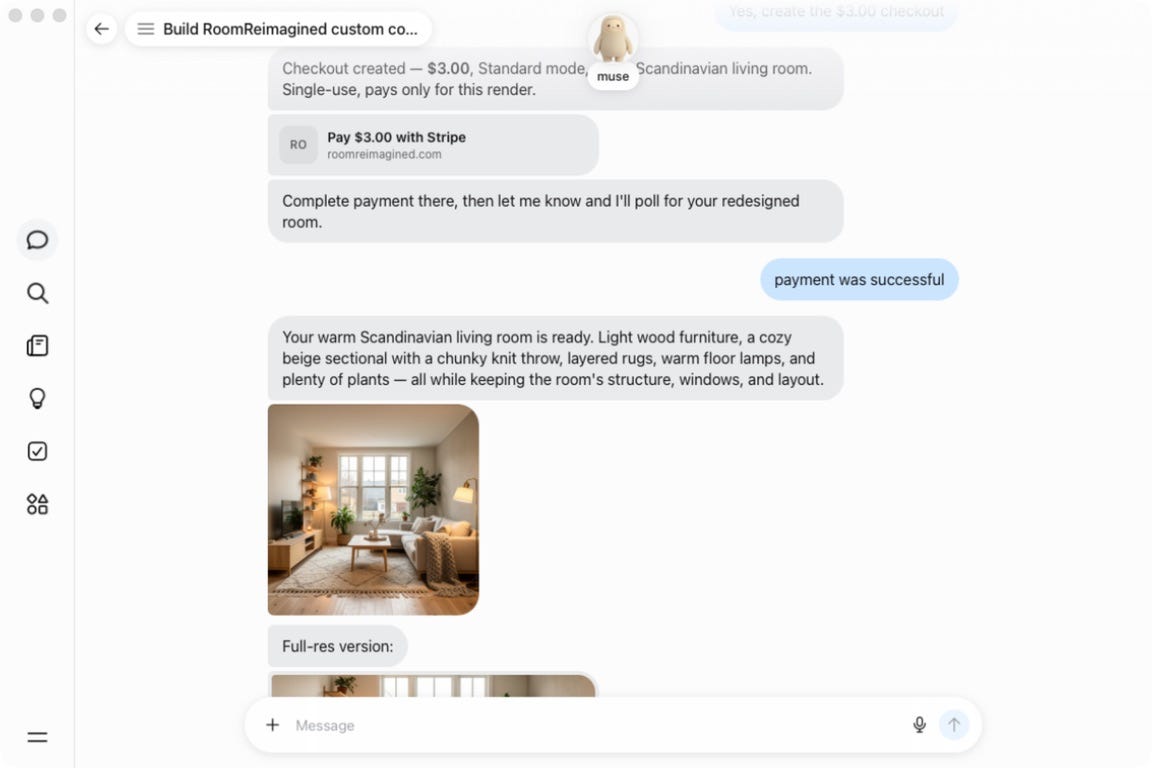
The Room Reimagined API retrieves the Checkout session from Stripe and verifies its payment status server-side. Only then does it submit the image-generation job.
The connector stores the request state in Supabase, runs the redesign through the image pipeline, persists the finished asset, and exposes a status endpoint Muse can poll. That makes the workflow resumable: the conversation can pause for payment and continue when the result is ready.
Try the connector
The connector guide is public at roomreimagined.com/connectors/muse/connector.md.
You can give Muse this instruction:
Build a custom connector for Room Reimagined using https://roomreimagined.com/connectors/muse/connector.md and follow its payment confirmation and safety rules.
Then send a room image, describe the style you want, and choose Standard or Premium.
Before and after
Before: the original empty room with dark wood floors and large windows.
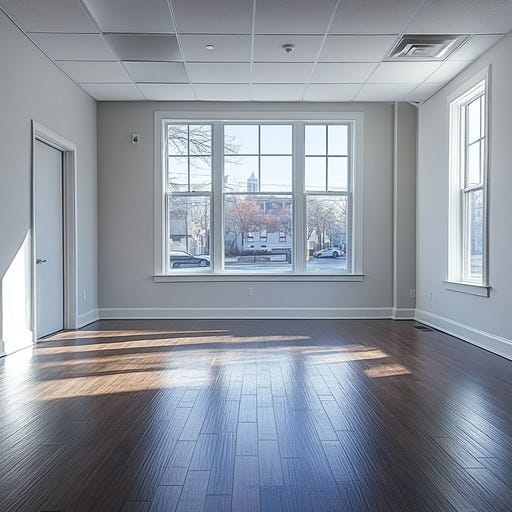
After: the completed warm Scandinavian redesign.

After: mid century modern

Where this goes next
Its pretty cool to see an agent coordinate a paid, asynchronous service without handling card data itself: quote the exact price, ask permission, send the user to hosted checkout, verify payment, run the work, and return the result. We are entering a world where agents are going to be ubiquitous.